OvenDesk bakery management software
Orders, production, deliveries, customers and invoicing — organised in one place.
OvenDesk is being prepared for public launch.
See the productThe day, in view
See the whole
bakery day.
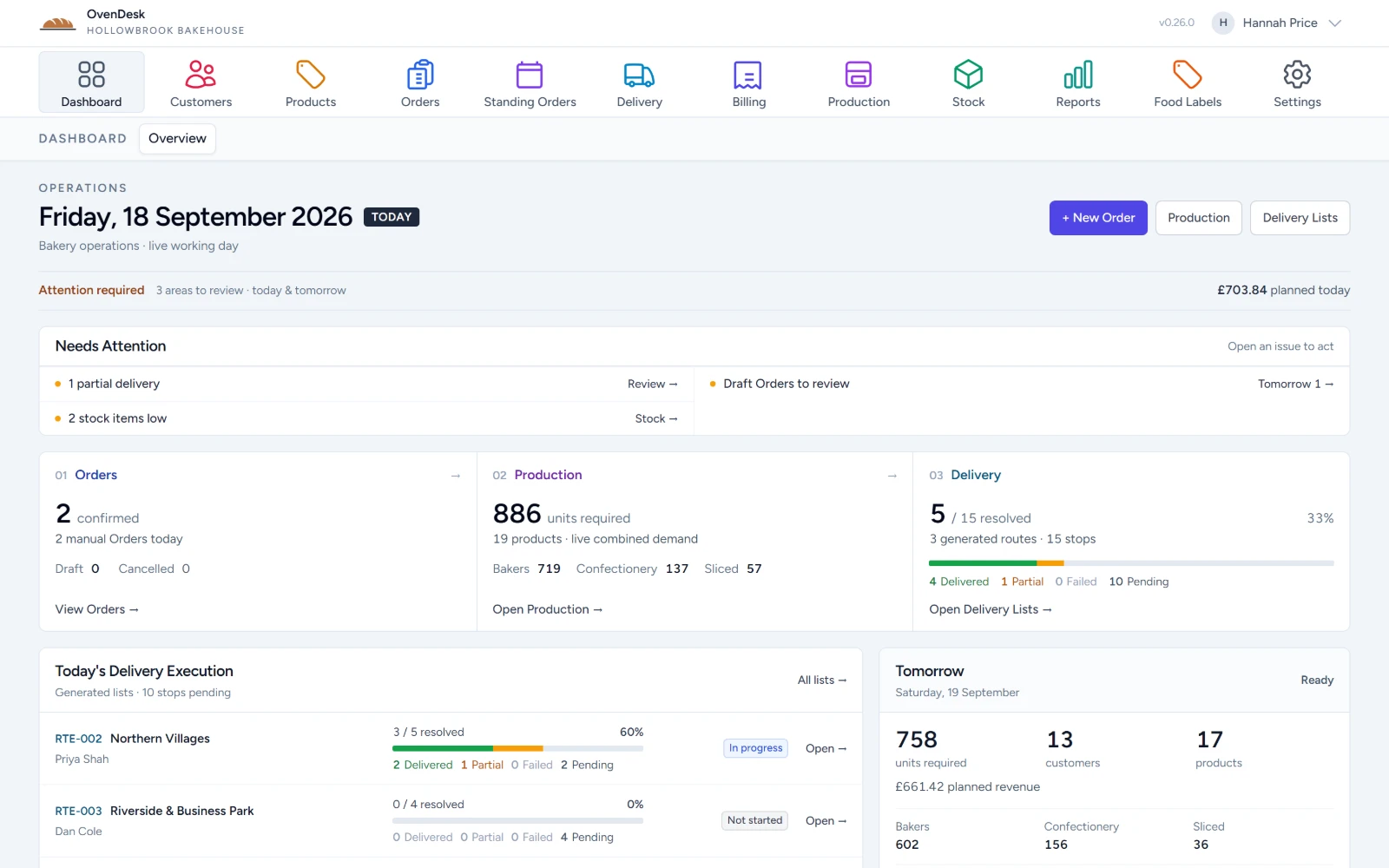
Orders, production, deliveries and what needs attention — visible in one working view.
- 01Needs attention
Partial deliveries, low stock and draft orders are raised first.
- 02Orders, production, delivery
The live picture for the working day, side by side.
- 03Tomorrow, lined up
Units, customers and products for the next bake.
At the counter
A till that
keeps up.
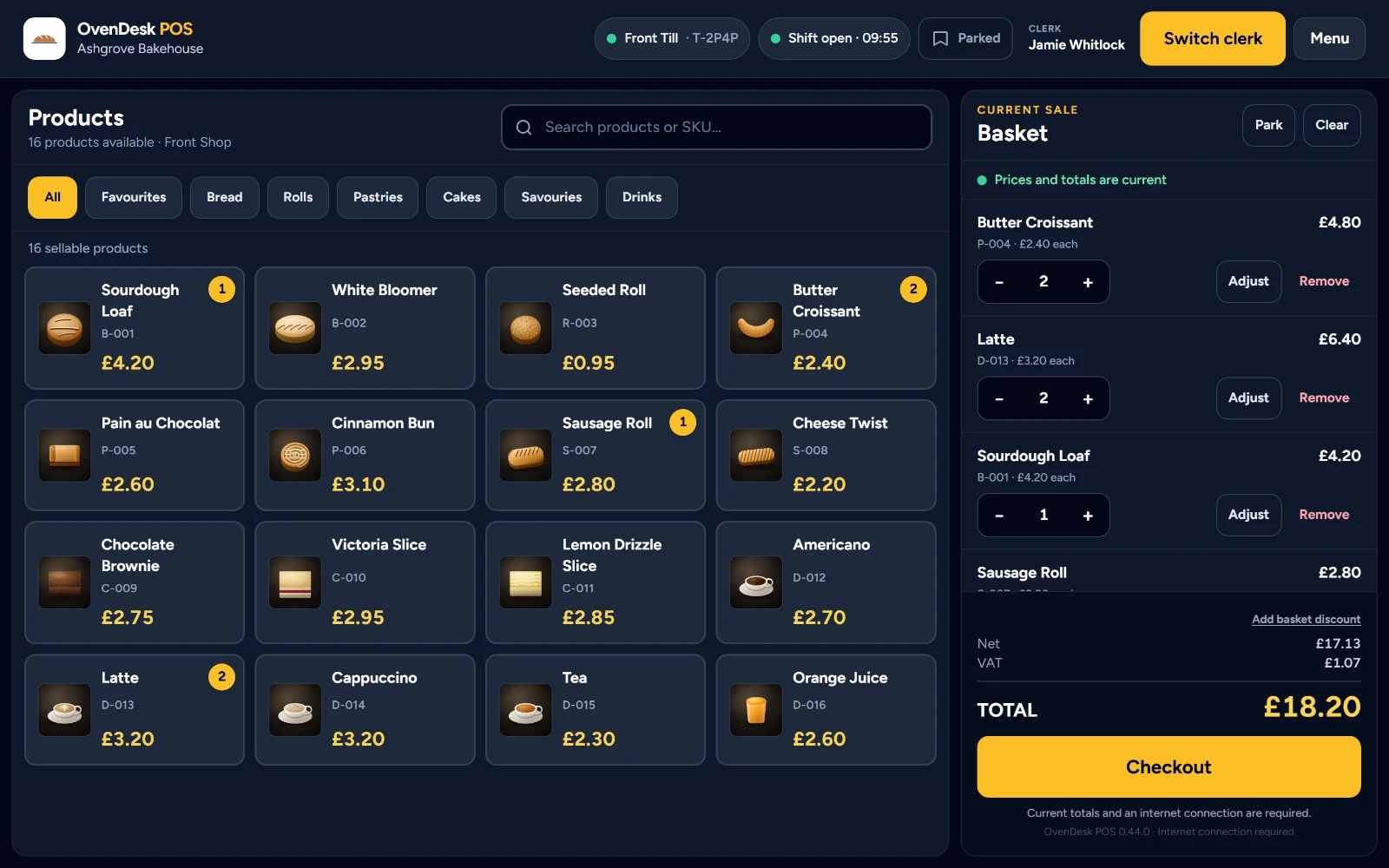
Sell quickly, switch clerks, park baskets and control discounts — with every sale flowing back into the same OvenDesk operation.
- 01Sell quickly
Product photographs, favourites and type-ahead search keep the counter moving.
- 02Keep control
Switch clerks by PIN, park a basket and resume it, adjust a line or discount the sale.
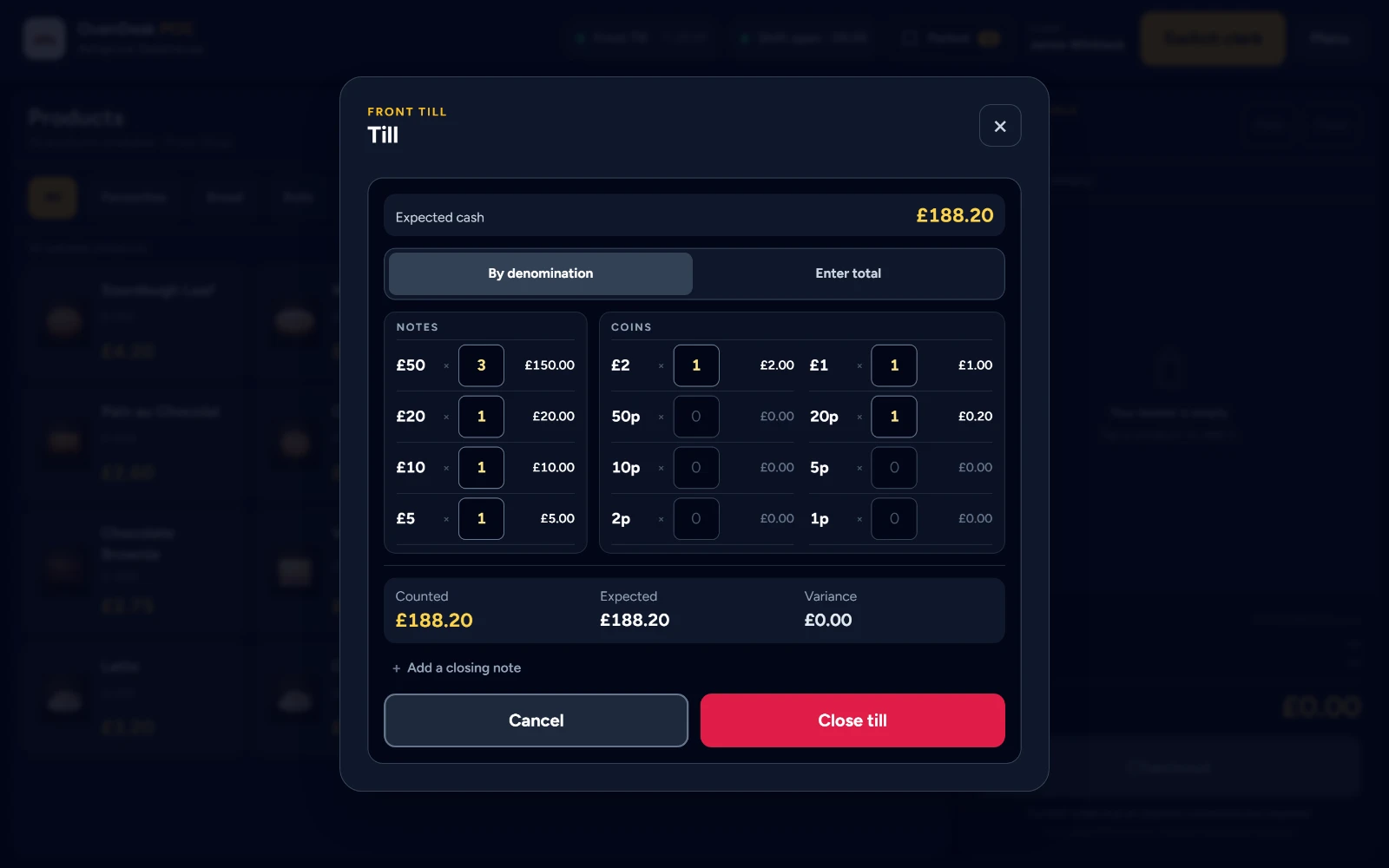
- 03Close with confidence
Count the drawer by denomination, check the variance, then close the shift.
Back in the Office
Every receipt lands in the same system.
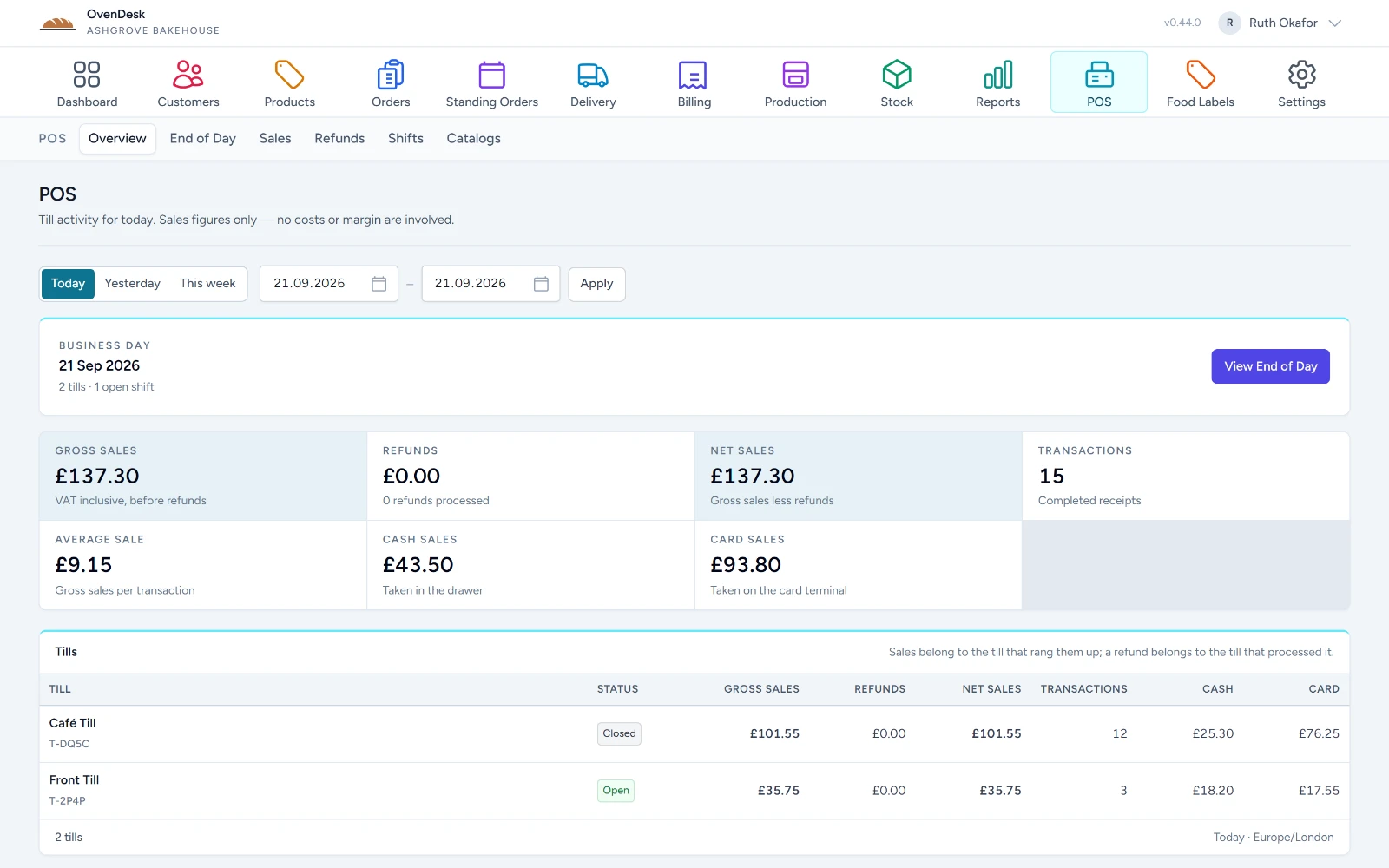
Till sales, refunds and shifts sit in OvenDesk beside orders, production and delivery — gross and net, cash and card, till by till, for the business day.
On the road
Delivery that
works on the road.
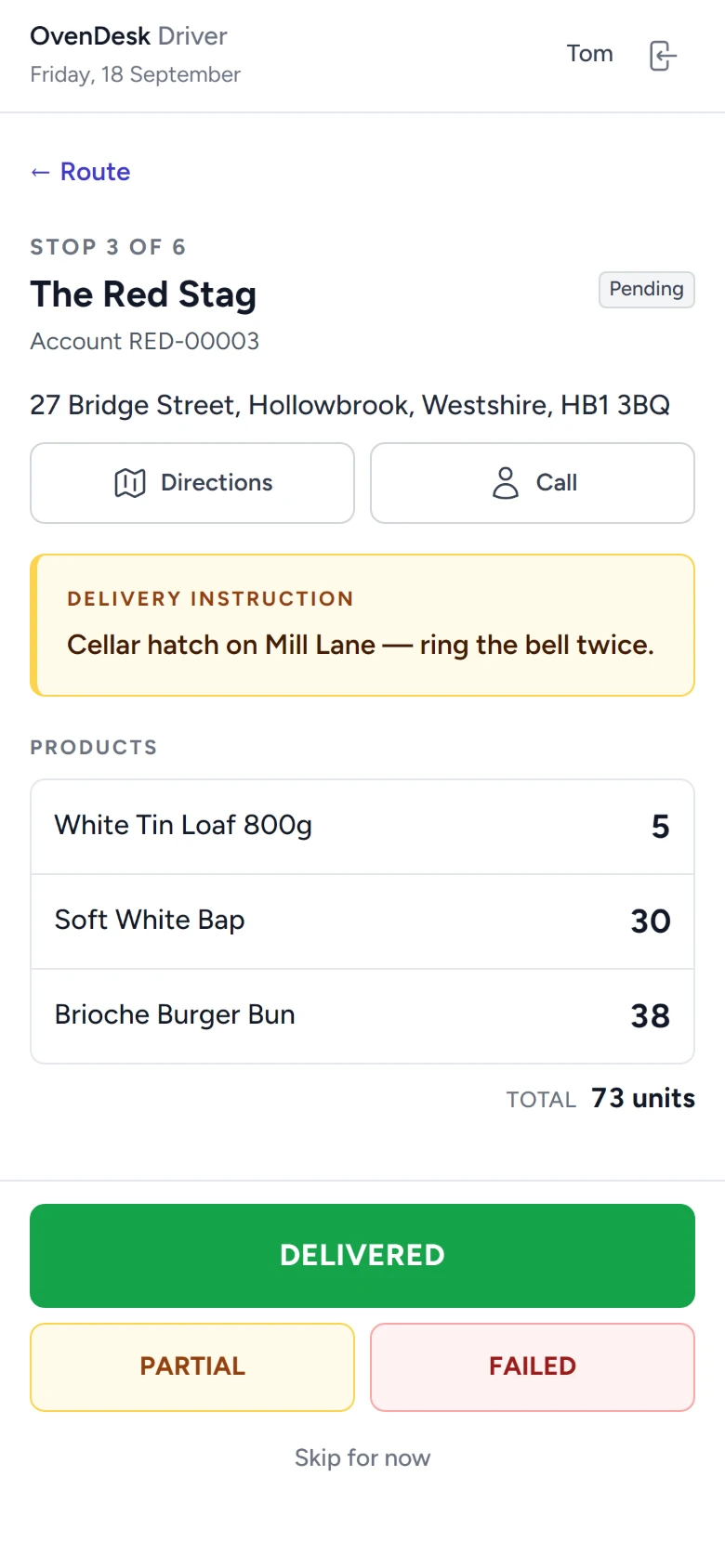
The Driver App puts each stop in the driver’s hand — what to drop, where to leave it, and what actually happened.
- Route-based delivery lists with ordered stops
- Delivery instructions for every stop
- Products and quantities to hand over
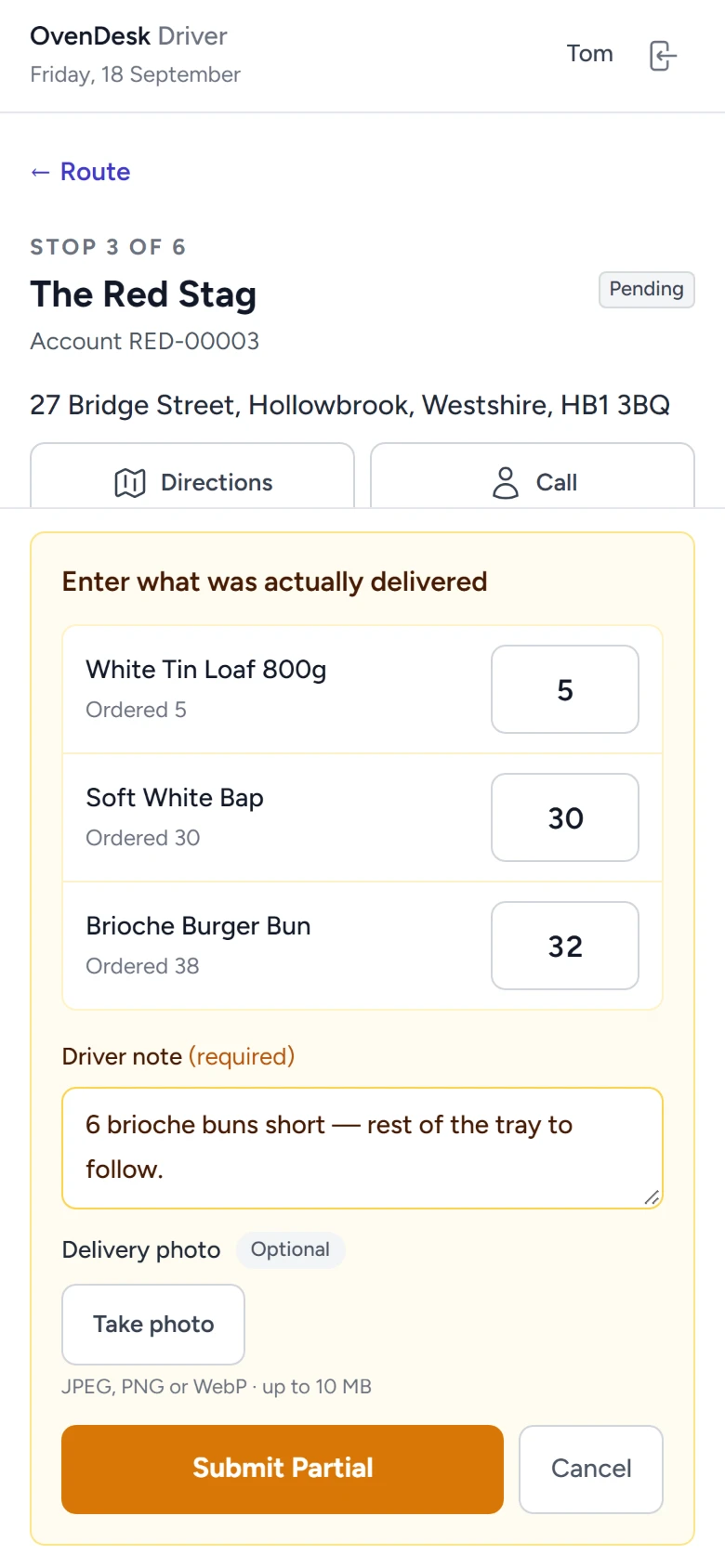
- Delivered, Partial or Failed outcomes
- Driver notes and an optional delivery photo
- Progress reflected back into delivery operations
Everything in one system
From customers
to invoices.
The same customers, products and orders carry through production, delivery and billing — without being typed in again.
-
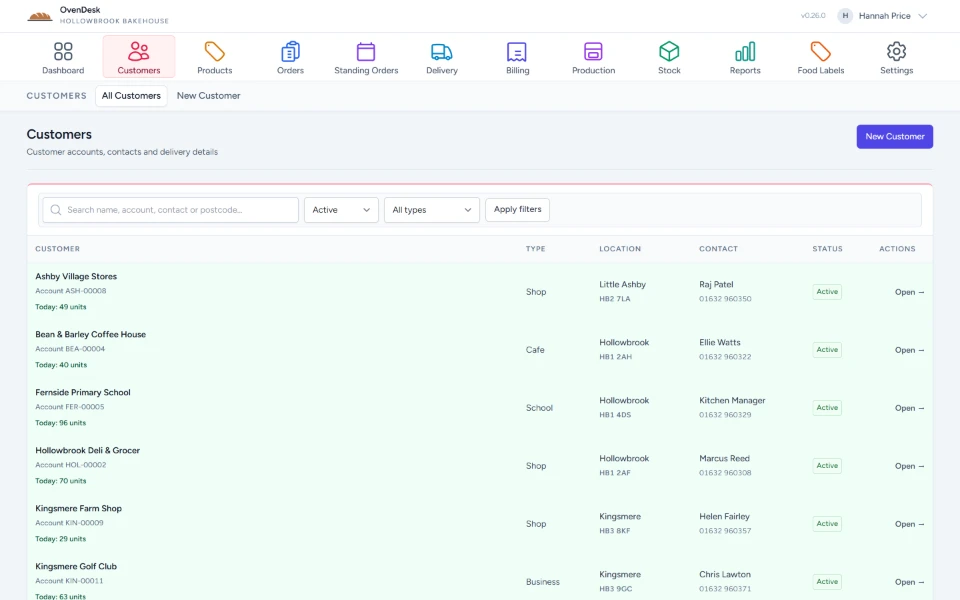
Customers
Keep customer information, delivery details and order activity together.
-
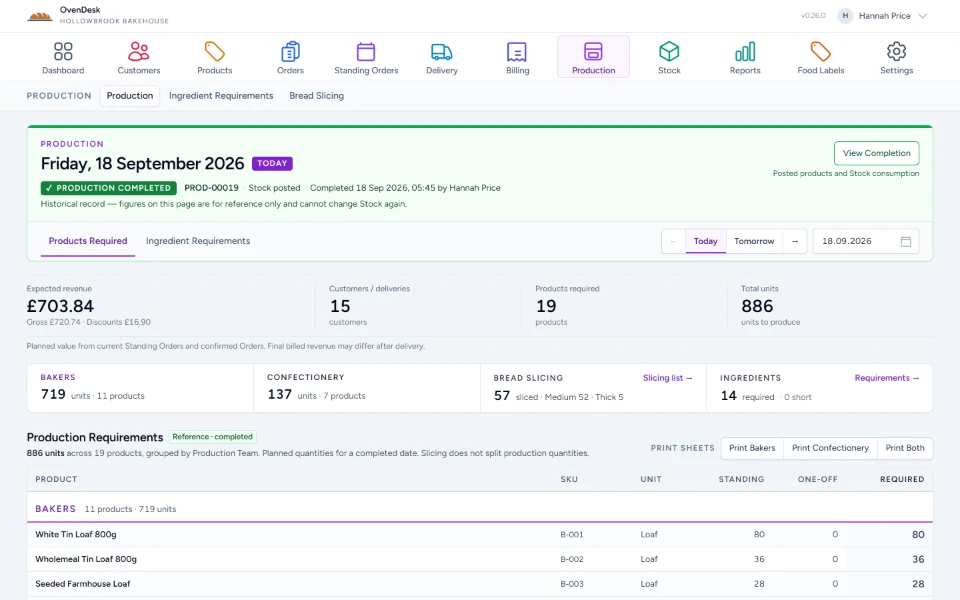
Production
See exactly what needs making from current bakery demand.
-
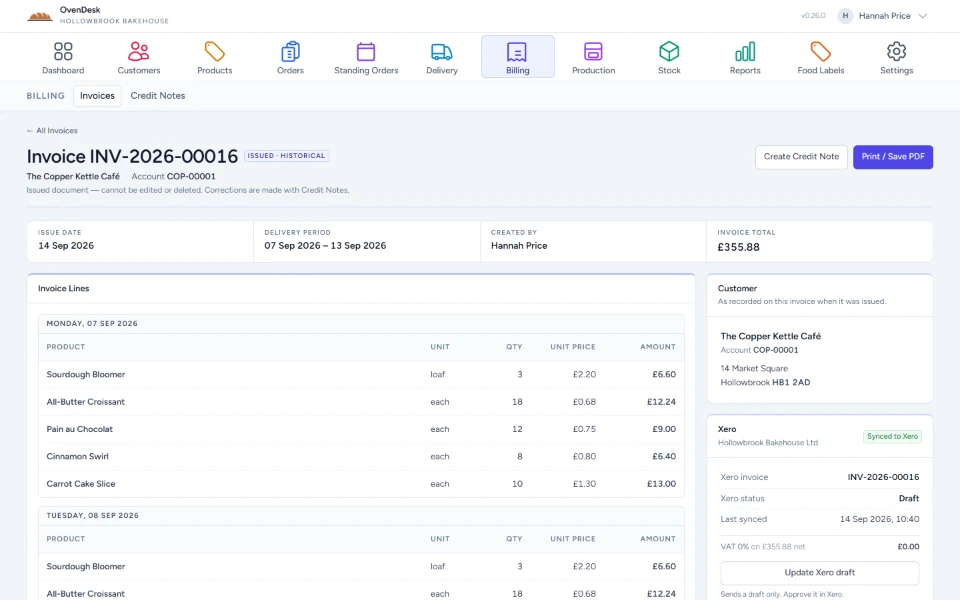
Billing & Xero
Create invoices and credit notes and send supported records to Xero.
-
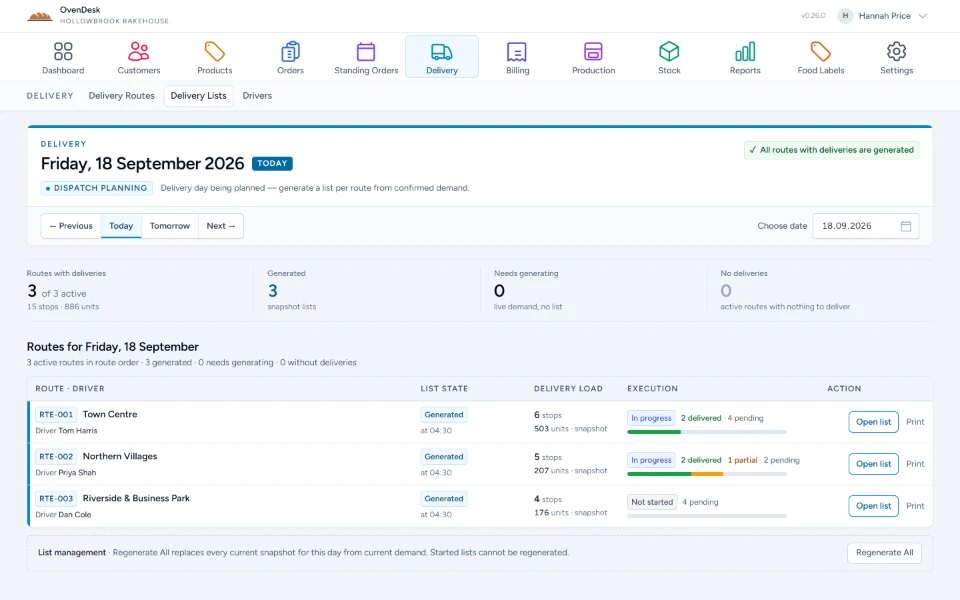
Delivery
Generate delivery lists and follow route progress.
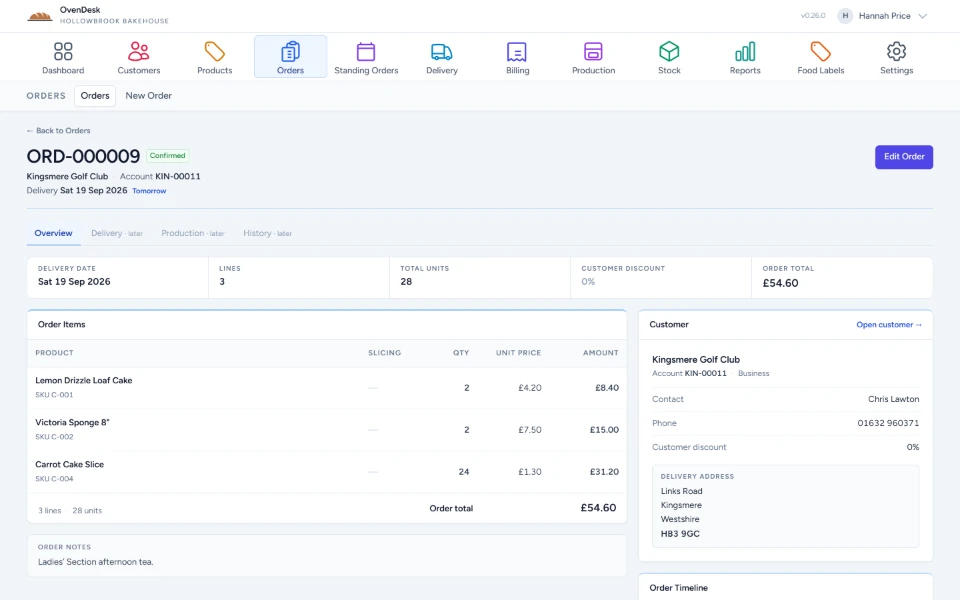
Orders
Built for repeat orders.
Ready for the exceptions.
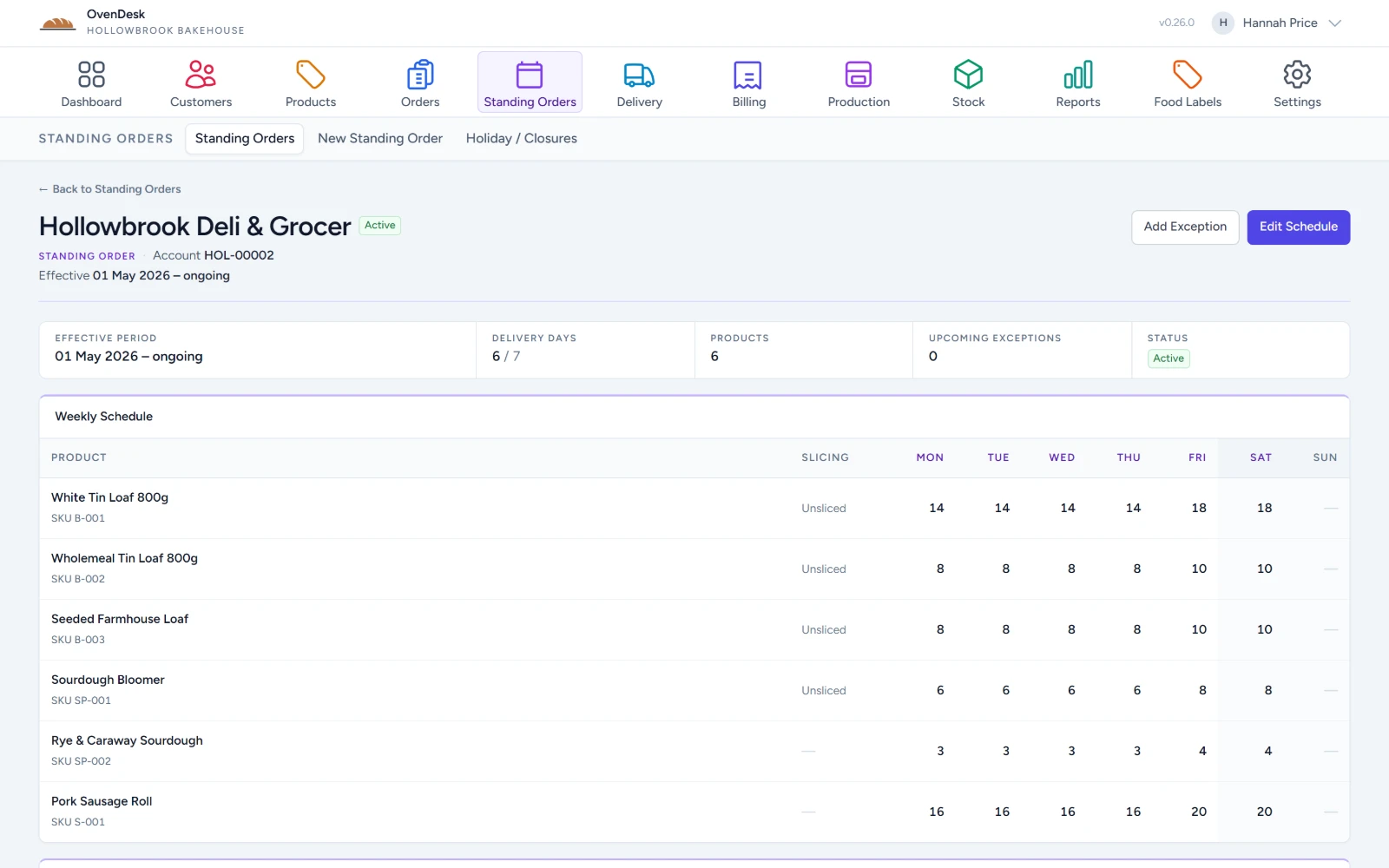
- Standing orders
- Set the weekly baseline once, per customer and per day.
- One-off orders & changes
- Add extra orders and date-specific changes without rebuilding the schedule.
Operations, in numbers
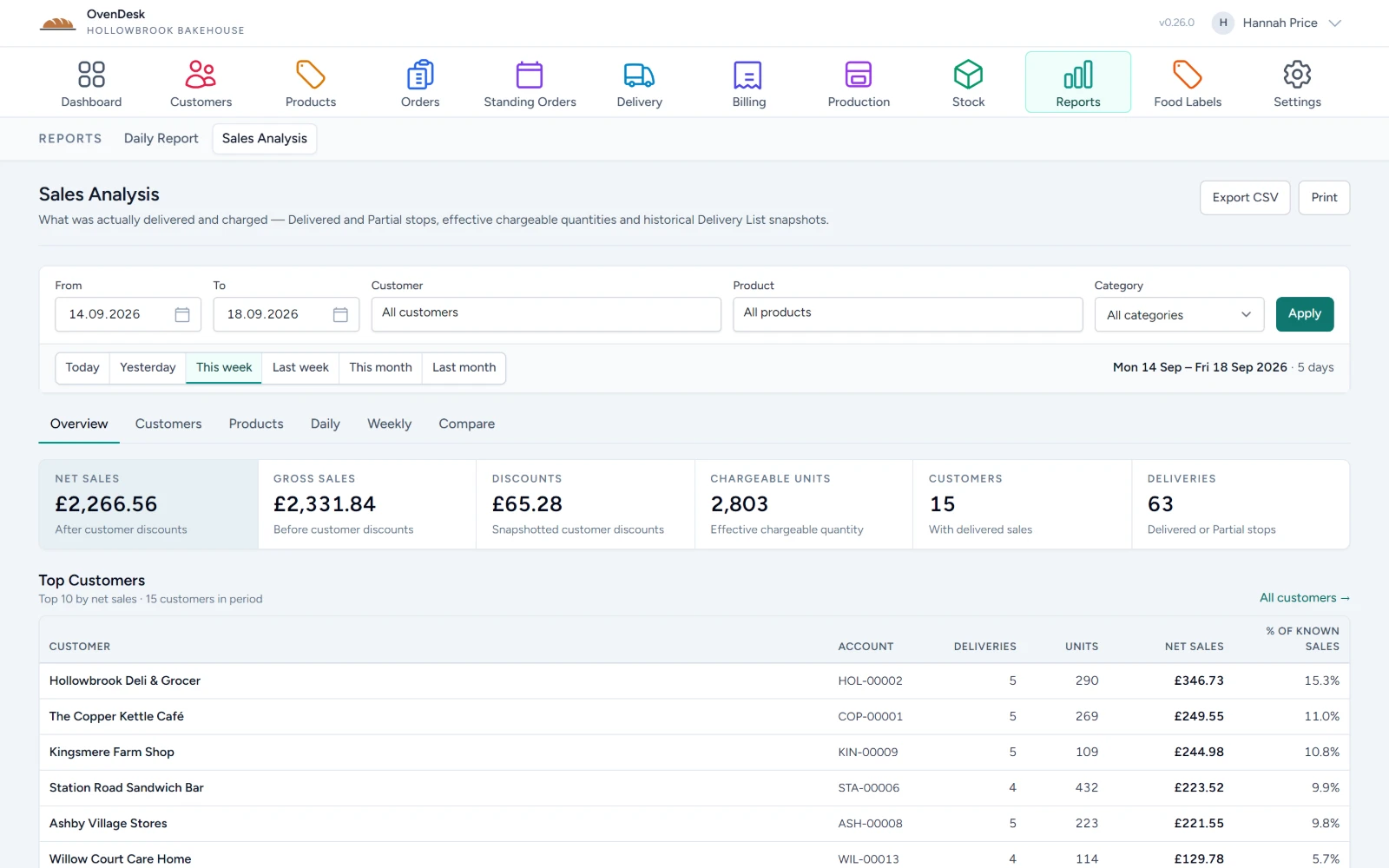
Know what was sold, delivered and charged.
Sales analysis is built from what actually went out — delivered and partial stops, and the quantities that were really chargeable.
- Sales analysis
- Delivered quantities
- Customer performance
- Product performance
- Date filtering
- CSV export
More depth, when you need it.
The everyday detail behind the operation, in the same system.
-
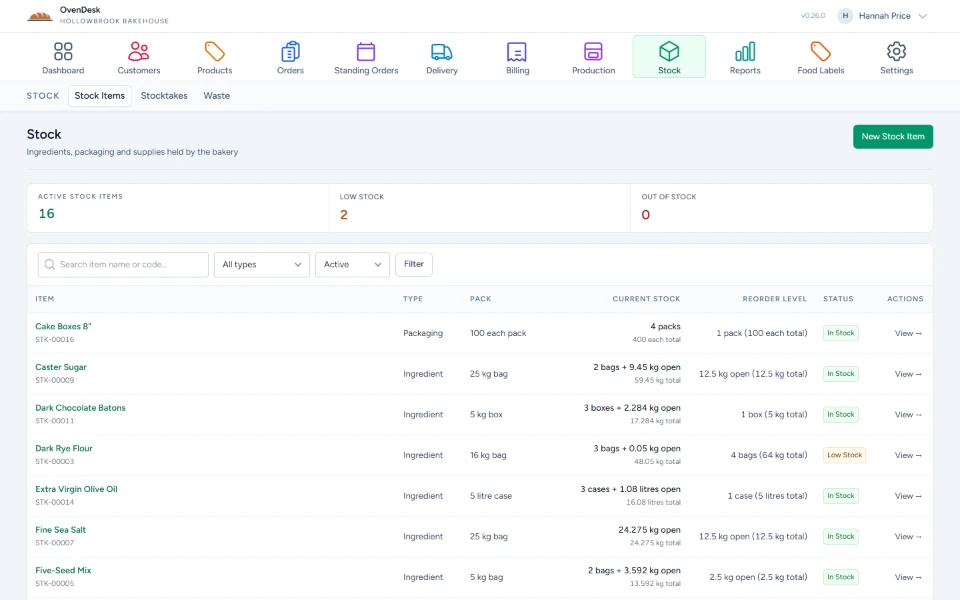
Stock
Stock items, stocktakes and waste.
-
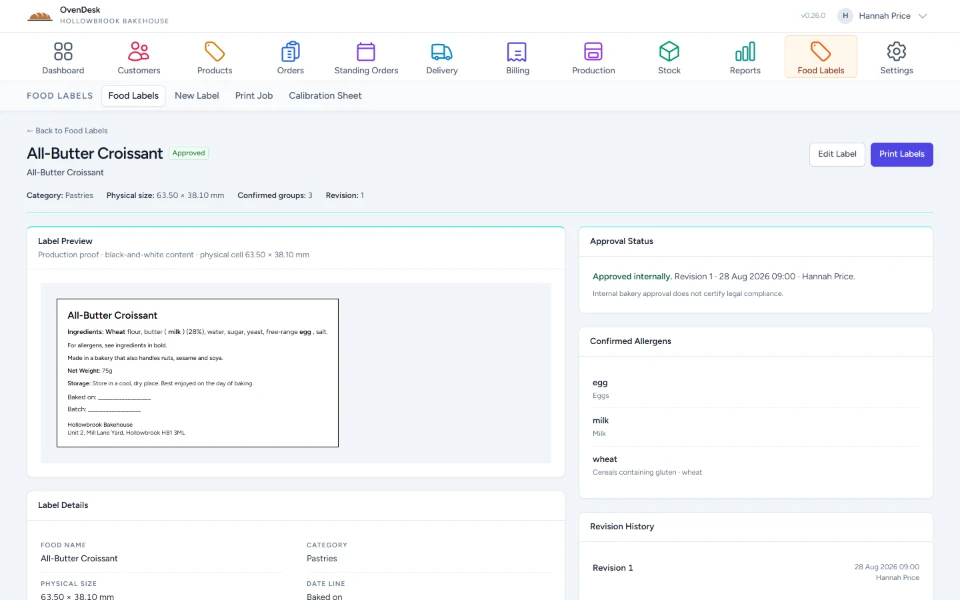
Food labels
Label content, allergens and print jobs.
-
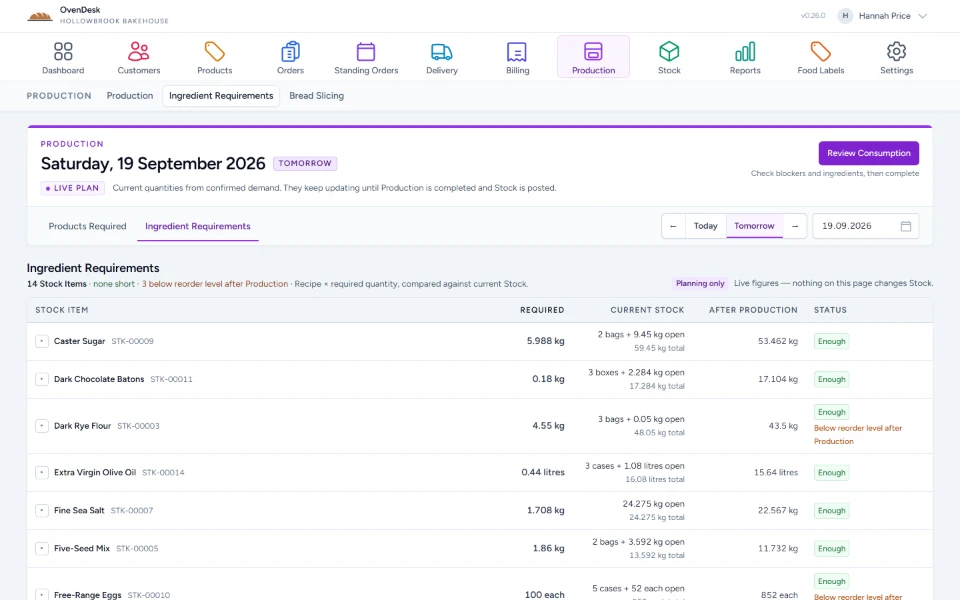
Ingredient requirements
What production needs, against stock.
-
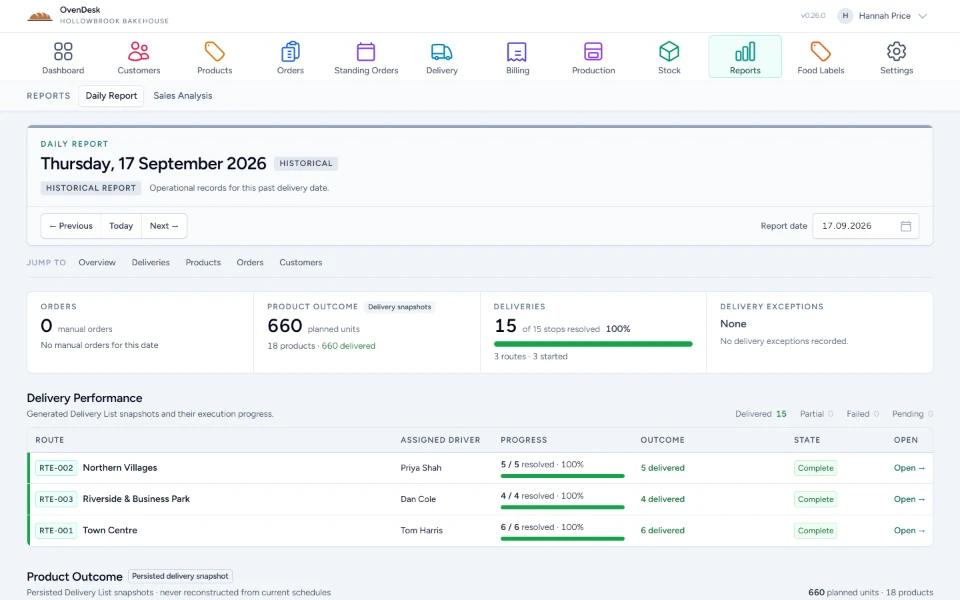
Daily reports
The record of each delivery day.
Frequently asked
The practical details.
OvenDesk is being prepared for public launch. Here’s what it is designed to cover.
What is OvenDesk?
OvenDesk is cloud-based bakery operations software. It brings together customers, orders, production, deliveries, stock, invoices, credit notes and reporting.
Who is it for?
OvenDesk is designed for bakeries managing repeat customers, production and delivery rounds, and for the people working across those daily operations.
How do I get access?
OvenDesk does not offer self-service sign-up yet. Register your interest and we’ll get in touch to talk through your bakery and whether OvenDesk is a good fit.
Is there an app for drivers?
Yes. The Driver App runs in the phone’s browser. Drivers see their route and stops, delivery instructions, products and quantities, and record each stop as Delivered, Partial or Failed, with notes and an optional photo.
Is there a till for the shop counter?
Yes. OvenDesk POS runs on the counter terminal with its own product catalogue and photographs, favourites, search, cash and card checkout, clerk switching, parked sales, discounts and price adjustments, shifts and cash movements, and a cash-up counted by denomination. Card payments are taken on a standalone card terminal. Till sales come back into OvenDesk for POS reporting and End of Day.
Does it work with Xero?
Yes. Customers can sync to Xero, and invoices and credit notes can be sent as drafts. VAT and account mapping are supported. Payment sync, payment reconciliation and credit-note allocation are not included.
Can multiple staff use it?
Yes. OvenDesk supports multiple users with organisation-based access, so staff can work within their bakery’s operation.
Can I bring my existing customer and product data?
Onboarding and import options can be discussed before you move. Tell us about your current data when you register your interest.
Request access
Register your interest.
Tell us a little about your bakery and we’ll get in touch to discuss whether OvenDesk is a good fit.
- 01You tell us about your bakery.
- 02We get in touch to talk it through.
- 03If it fits, we set up your access.
Run the bakery
with clarity.
Tell us about your bakery and we’ll show you how OvenDesk could fit your operation.