What is coming
Upcoming deliveries, clear quantities and the information customers need before the drop.
OvenDesk Client Portal
A clear, branded place for wholesale customers to see deliveries, review invoices and make permitted changes — without the calls, messages and rekeying.
Branded for your bakery · connected to OvenDesk
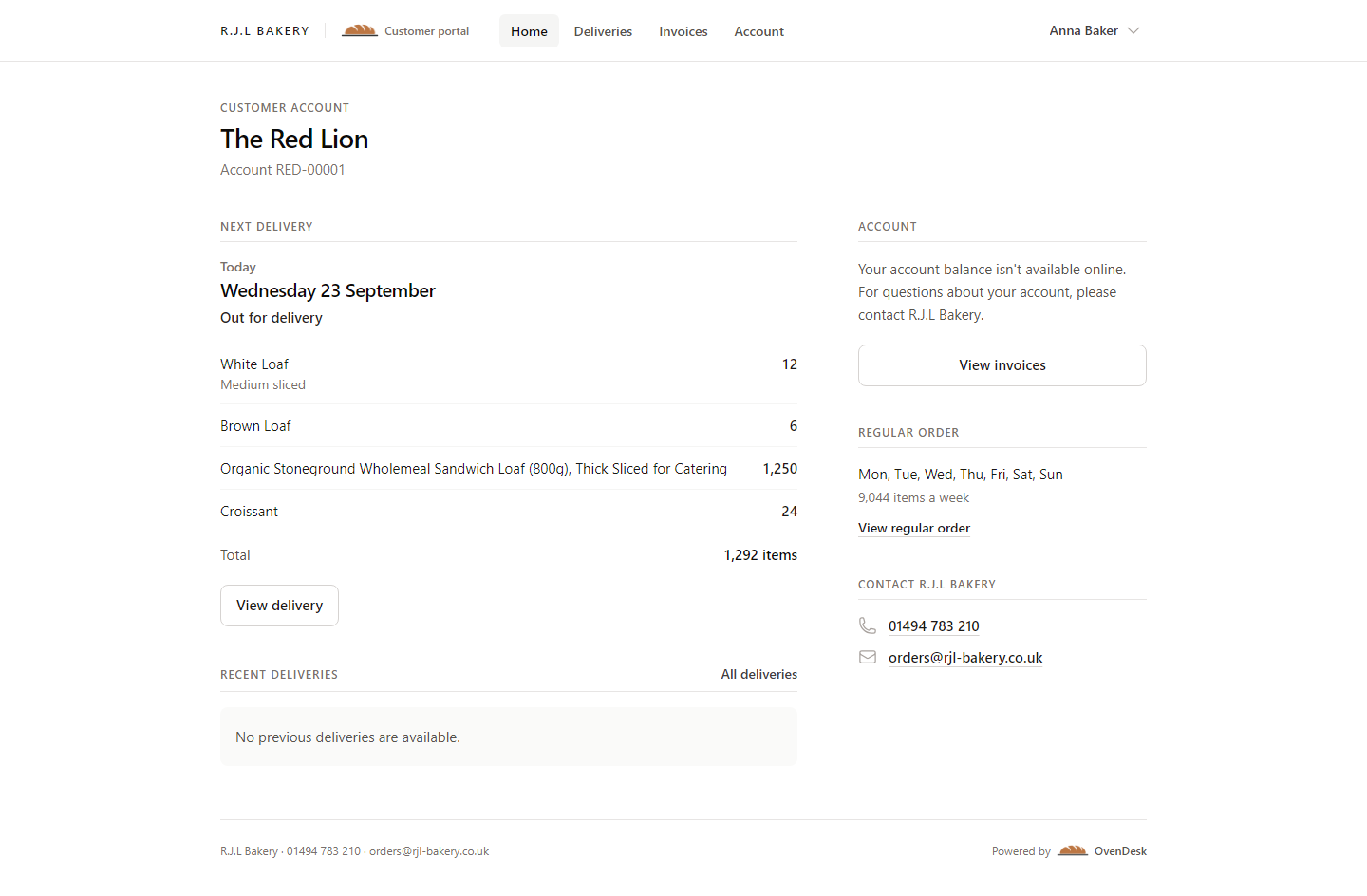
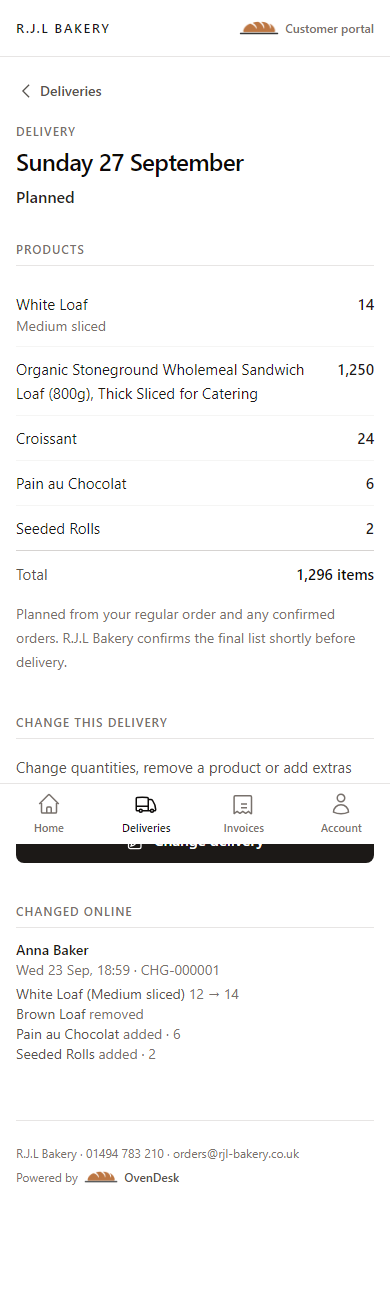
Upcoming deliveries, clear quantities and the information customers need before the drop.
Increase, reduce, remove or add permitted products before your bakery’s cutoff.
Confirmation for the customer and a complete, named change record for your team.
One deliberate flow
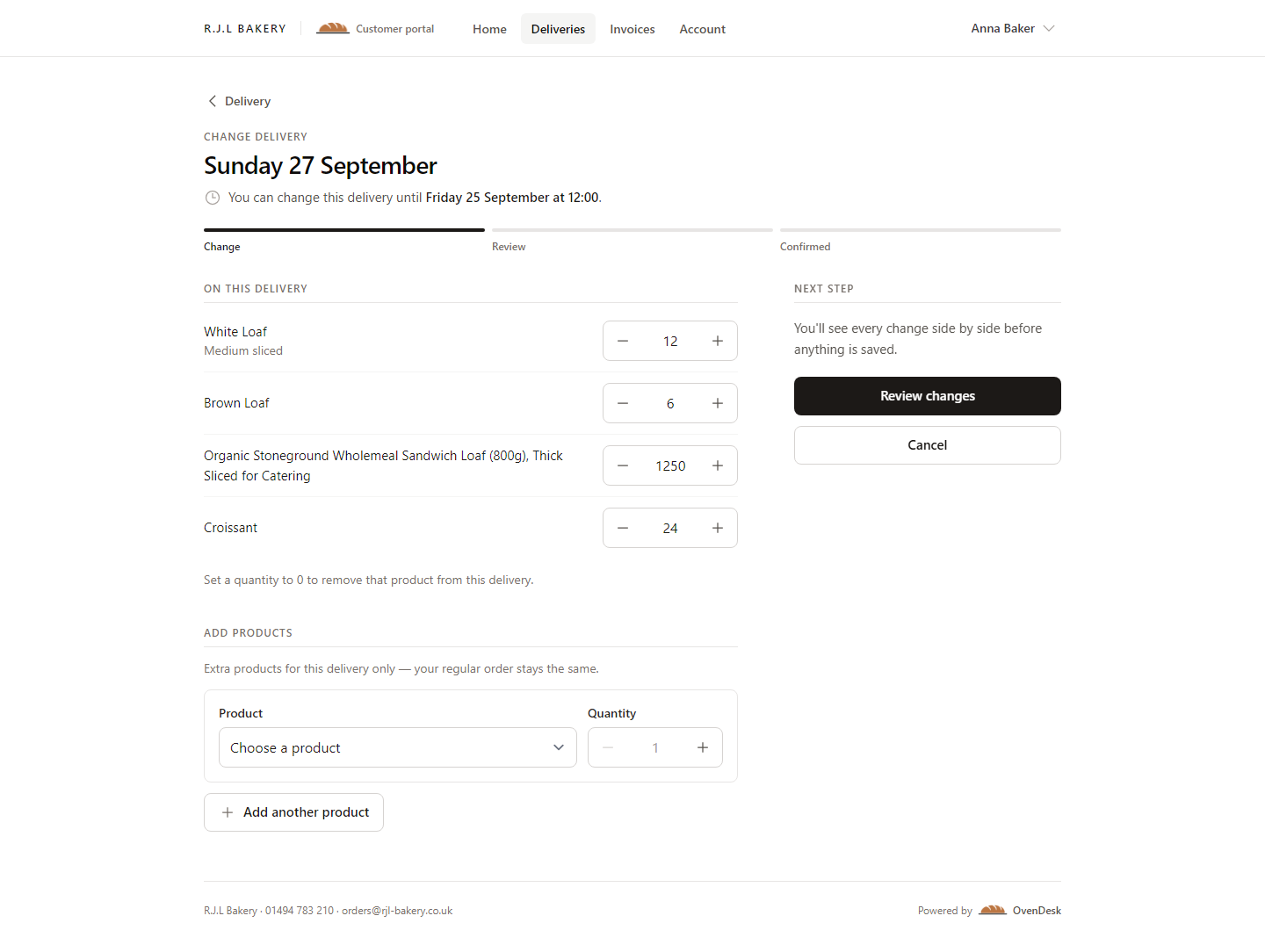
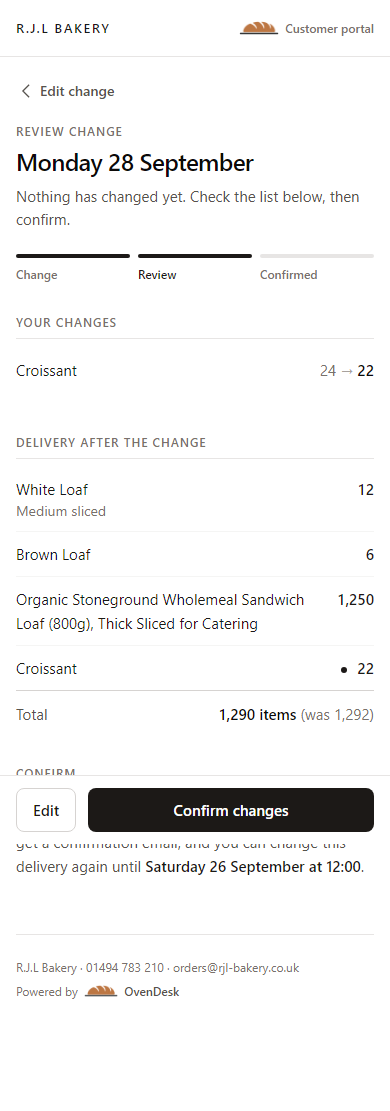
Customers can make a change with confidence because the portal shows the deadline, the before-and-after quantities and the final delivery before anything is saved.
Built for real customer days
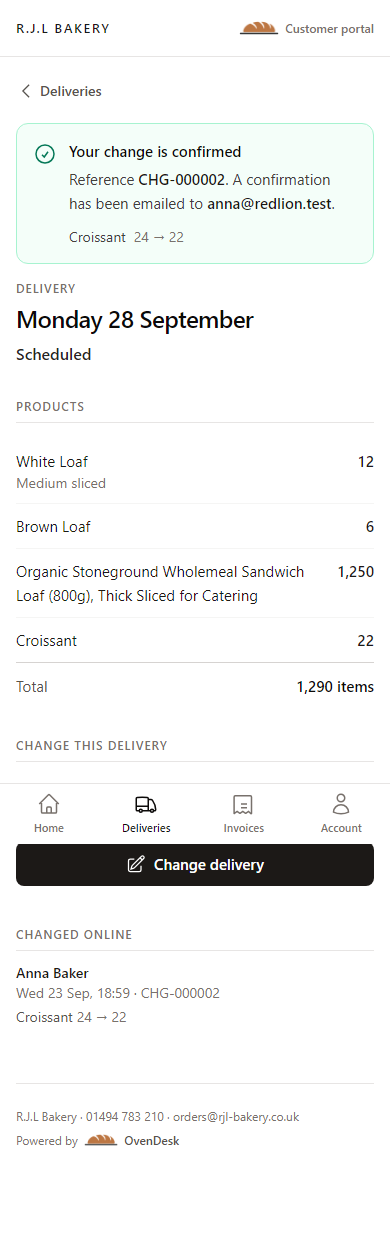
A customer can check Sunday’s delivery or correct a quantity when they remember — on desktop, tablet or phone. Your team does not have to translate a voicemail into an order later.
The portal shows the current delivery and exactly what a change will do.
Bakery identity, contact details and delivery rules remain present throughout.
Clear touch targets and a focused flow for changes made between shifts.
Back in the Office
Every confirmed request is written into the operational records your bakery already uses — with the person, time, source and before-and-after quantities attached.
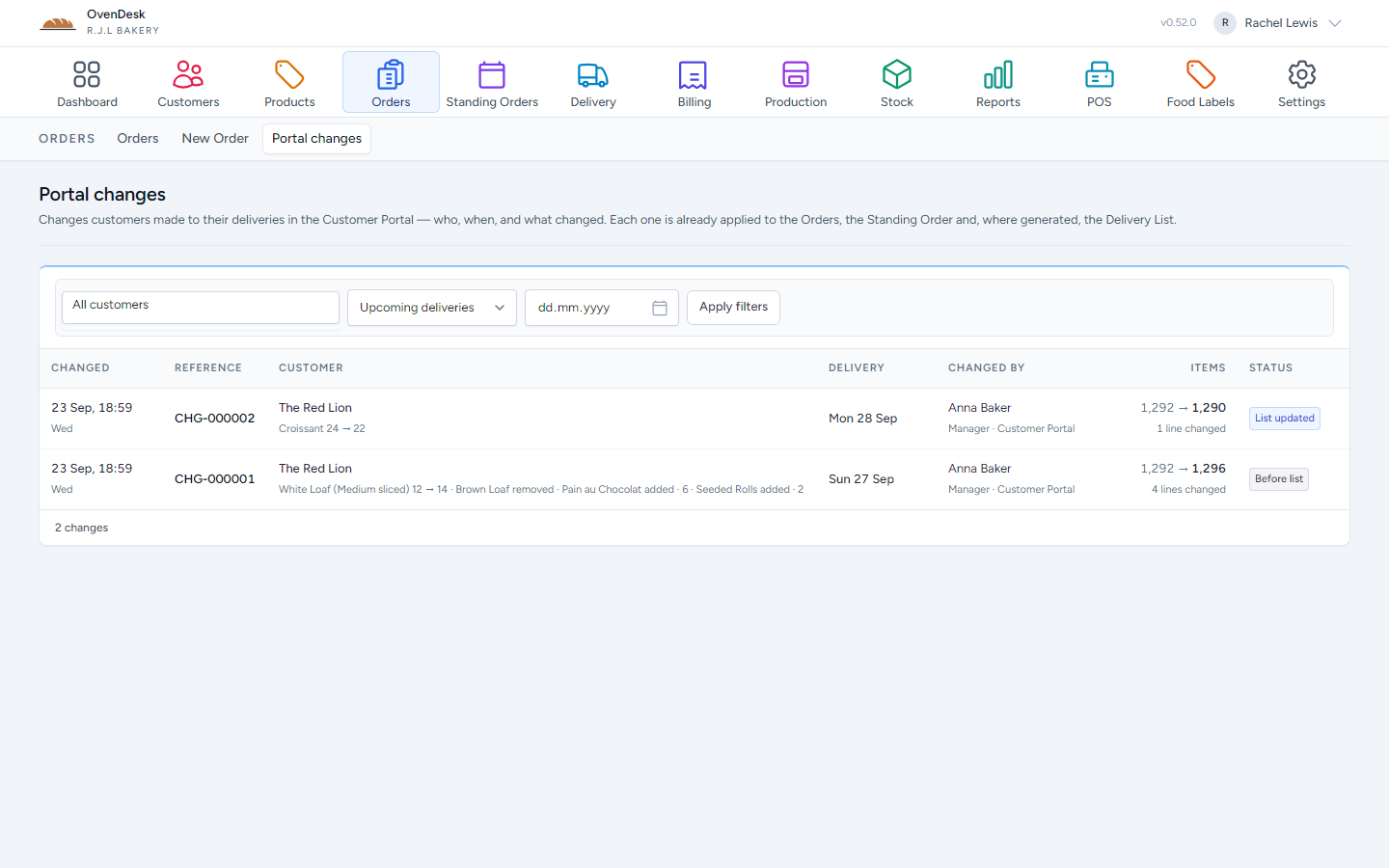
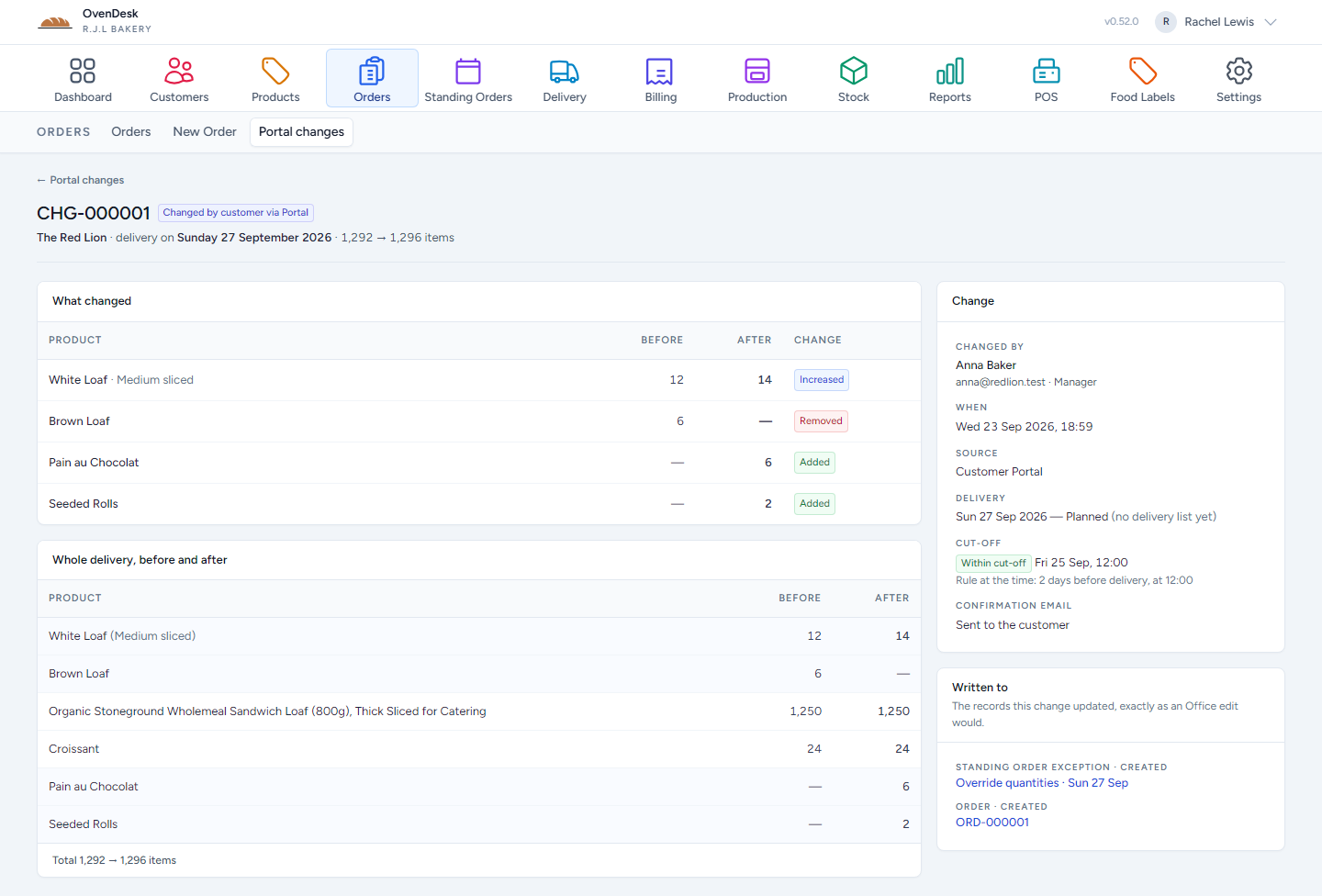
Confirmed customer changes update the relevant order records rather than waiting in an inbox.
Where a list already exists, the stop reflects the customer’s accepted change.
Who changed what, when they changed it and whether it was inside the cutoff.
Control stays with the bakery
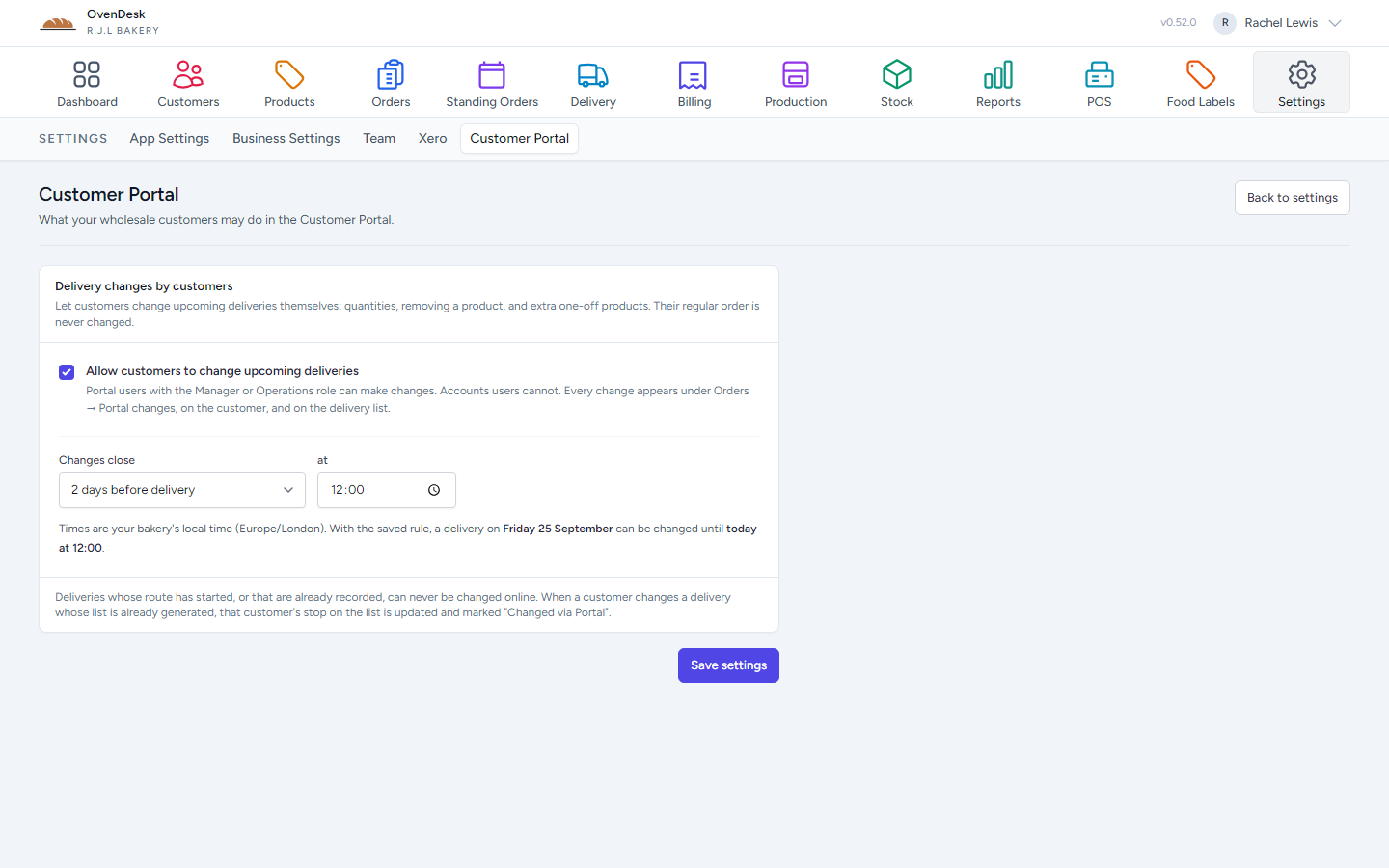
Choose whether customers can change upcoming deliveries, which customer roles may do it, and how long before delivery changes close.
Client Portal by OvenDesk
Give wholesale customers a better way to work with your bakery — while every accepted change stays connected to operations.